Teaching Material
Week 15-16-17-18-19-20-21-22-23-24-25-26-27
11 IMPORTANT POINTS
1. Make sure you watch (and understand) the eLecture before starting on the practical work work for a given week!
2. Only Use Visual Studio 2019 for PC (The MAC version will not work for this module)
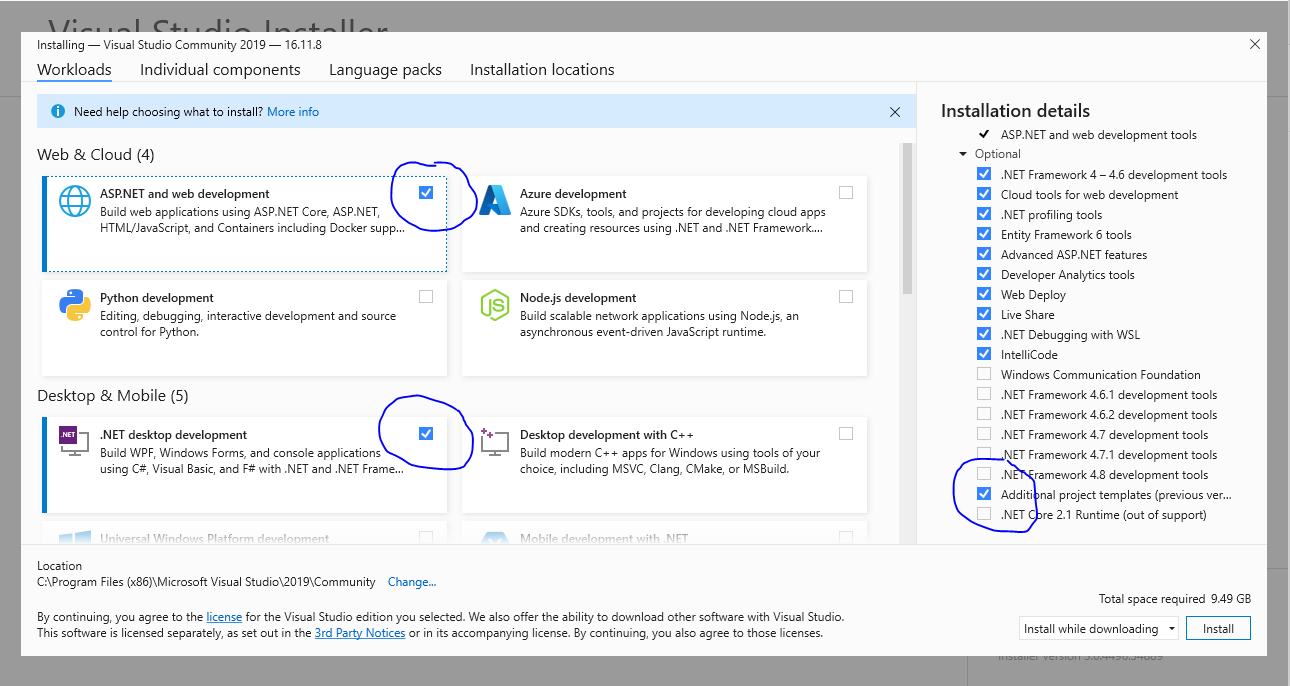
3. Download VS Community 2019 here for use on your own PC (Click here for configuration options)
4. Install and use MS Teams Desktop App (avoid the browser version as not all features work)
5. Off campus work for this module is best completed using Your DMU lab best to use the local VM Ware Client
6. Claim your eGrid here (If you see a certificate error in your browser - select advanced and continue anyway)
7. Once your team is set up follow the assessment schedule here
8. If you are not scheduled for a sprint meeting you do not need to attend
9. You only need to attend surgery sessions if you have a specific technical problem
10. All questions must be posted to the discussion board
11. Check the existing questions on the discussion board prior to making a new post
Week 15 Unit 1
Online Workshop
Set up your team of 3-5 members who must be timetabled for the same online workshop, switching classes is not an option!
Decide on a team name
Decide on a topic - what does your system do and who is allocated which section?
Update the spreadsheet with the details above
eLecture (Self Study)


Practical Work (Self Study)
 Getting Started on the Assessment
Practical To Do List
- Claim your eGrid
- Begin work on system/individual specification and table schema (See assignment handbook and practical work for this week)
Week 16 Unit 2
eLecture (Self study)
Three Tier Architecture and Overview of Visual Studio (Examples use VS2017 but 2019 isn't that different)

Solutions Projects and Web Forms
Practical Work (Self study)
Collaboration, Getting Started with GitHub
Week 17 Unit 3
eLecture (Self Study)
Testing and Test Driven Development
Practical Work (Self Study)
Week 18 Unit 4
eLecture
Use case description pro forma
Practical Work
Week 19 Unit 5
Practical Work
Week 20 Unit 6
Practical Work
Creating the properties for your table design (Middle Layer)
Week 21 Unit 7
Practical Work
Adding a Simple Interface (Presentation Layer)
Week 22
Week 23 Unit 8
Practical Work
Week 24 Unit 9
Practical Work
Adding Validation (Middle Layer)
Week 25 Unit 10
Practical Work
Adding Validation (Presentation Layer)
Week 26 Unit 11
Practical Work
Creating the Collection Class Properties
Week 27 Unit 12
Practical Work
Creating the Collection Methods (Add, Edit, Delete & Filter)
Week 28 Easter Break
Week 29 Easter Break
Week 30 Easter Break
Week 31
Week 32
10 Min Sprints
Week 33
10 Min Sprints